hoW this jeKYLL thing WorkZZZ!
update the site
you can update your site name, avatar and other options using the _config.yml file in the root of your repository (shown below).
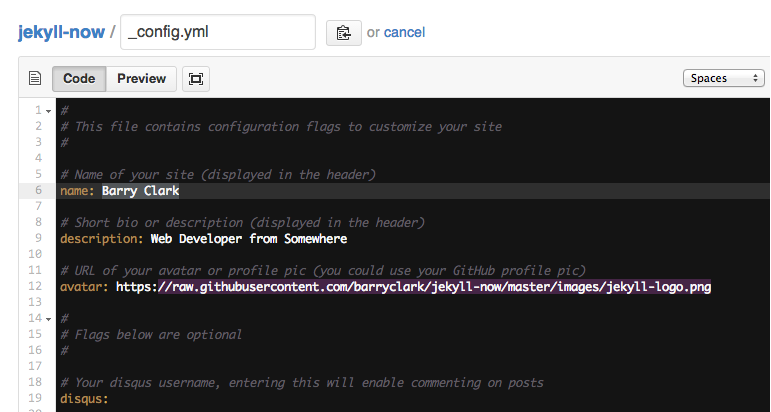
The easiest way to make your first post is to edit this one. Go into /_posts/ and update the Hello World markdown file. For more instructions head over to the Jekyll Now repository on GitHub.
how to files
Assuming you have your gallery images in a structure like
-img
  -gallery
    -image1.png
    -image2.png

etc.
you can access ‘img/gallery’ them in a collection or page like this:
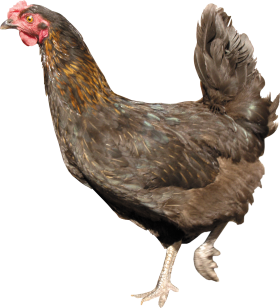
  <p>/img/gallery/chicken_PNG2174.png - 2025-02-27 09:58:30 +0000</p>
  <img src="/img/gallery/chicken_PNG2174.png">


  <p>/img/gallery/febra.jpg - 2025-02-27 09:58:30 +0000</p>
  <img src="/img/gallery/febra.jpg">


  <p>/img/gallery/img1.png - 2025-02-27 09:58:30 +0000</p>
  <img src="/img/gallery/img1.png">
Start images:
/img/gallery/chicken_PNG2174.png - 2025-02-27 09:58:30 +0000
/img/gallery/febra.jpg - 2025-02-27 09:58:30 +0000

/img/gallery/img1.png - 2025-02-27 09:58:30 +0000

Stop images:
This goes through all static files and check for a certain path (img/gallery in this example).
Than you can access the static file metadata for that file. (I named it ‘image’ in this example but you can name it whatever you want after the for keyword).
I think it doesn’t make too much sense to put something like this in a blog post but rather in a page or a collection.